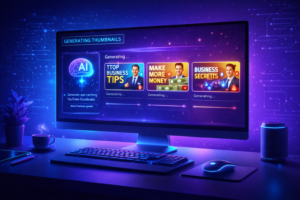
This complete guide on AI Thumbnail Generators covers everything you need to know about using artificial intelligence to create professional, eye-catching thumbnails for YouTube, blogs, and social media — without any design skills or expensive software. It explores how AI thumbnail tools work, reviews the top platforms like Canva, Adobe Firefly, and Midjourney, and provides step-by-step strategies, best practices, and expert tips to help creators boost their click-through rates, save time, and maintain consistent branding across all their content.
Table of Contents
Introduction: Why Thumbnails Matter More Than You Think
Imagine scrolling through YouTube, a blog feed, or a social media platform. What makes you stop and click? More often than not, it is the thumbnail — that small, eye-catching image that acts as the visual front door to your content. A great thumbnail can be the difference between thousands of views and being completely ignored.
Studies have consistently shown that thumbnails play a massive role in click-through rates (CTR). YouTube itself has stated that 90% of the best-performing videos on the platform use custom thumbnails. For bloggers, the featured image on an article can dramatically affect how many people choose to read it. For online stores, product images directly influence purchasing decisions.
But here is the challenge: creating professional, high-quality thumbnails has traditionally required graphic design skills, expensive software like Adobe Photoshop, and hours of time. Not everyone has these resources — and that is exactly where AI thumbnail generators come in.
In this comprehensive guide, you will learn everything you need to know about AI thumbnail generators — what they are, how they work, the best tools available, their benefits and limitations, and how you can use them to supercharge your content creation workflow. Whether you are a YouTuber, a blogger, a marketer, or a business owner, this guide is designed to give you clear, actionable knowledge.
What Is an AI Thumbnail Generator?
An AI thumbnail generator is a software tool that uses artificial intelligence — specifically machine learning and deep learning technologies — to automatically create visual thumbnails for videos, blog posts, social media content, and other digital media.
Unlike traditional graphic design tools where you manually arrange elements, choose fonts, select colors, and position images, an AI thumbnail generator does most of this work for you. You simply provide some basic inputs — such as a title, a topic, a style preference, or even just a URL — and the AI generates a ready-to-use thumbnail in seconds.
These tools have become increasingly sophisticated. Modern AI thumbnail generators can understand context, recognize visual trends in specific niches, generate realistic images from text descriptions, and even analyze successful thumbnails in a given category to produce designs that are more likely to attract clicks.
Read Also: How to Learn Digital Marketing Skills in 2026
How Does AI Thumbnail Generation Work?
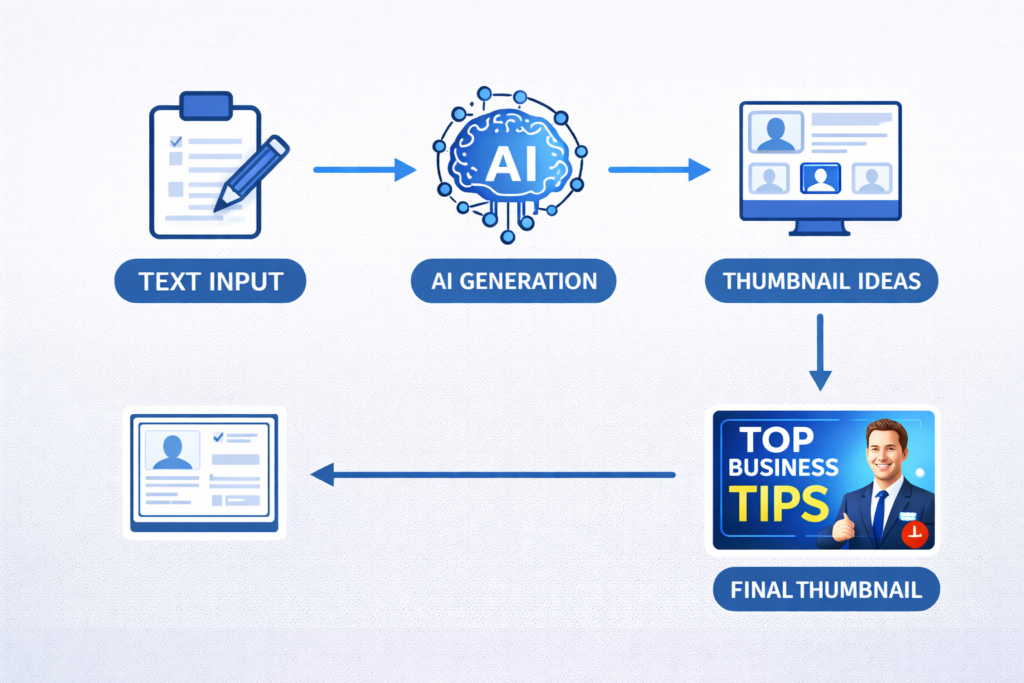
To understand how AI thumbnail generators work, it helps to know a little bit about the underlying technology. Most modern AI image generation tools are powered by one or more of the following technologies:
- Generative Adversarial Networks (GANs): These are AI systems made up of two neural networks — one that generates images and one that evaluates them. Through a continuous process of competition, the generator learns to create increasingly realistic and visually appealing images.
- Diffusion Models: Tools like DALL-E, Stable Diffusion, and Midjourney use diffusion models that gradually refine a noisy image into a clear, detailed one based on a text prompt. This technology is behind many of the most impressive AI-generated images you see today.
- Natural Language Processing (NLP): AI thumbnail tools often use NLP to understand the text you provide — such as a video title or article headline — and translate it into visual concepts that make sense for your content.
- Template-Based AI: Some tools use AI to intelligently select and customize pre-built templates based on your input, making the process faster while still delivering professional results.
Why Are AI Thumbnail Generators Becoming So Popular?
The rise of AI thumbnail generators is not just about convenience — it reflects a fundamental shift in how content is created, consumed, and competed for online. Here are the key reasons why these tools are growing in popularity at a rapid pace.
The Explosion of Digital Content
Every minute, over 500 hours of video are uploaded to YouTube alone. Millions of blog posts, social media updates, and digital ads are published daily. In this sea of content, standing out has never been more challenging. A compelling thumbnail is one of the most powerful tools a creator has to capture attention in a crowded digital environment.
AI thumbnail generators allow even small creators with no design budget to produce visually competitive thumbnails that can hold their own against those made by large media companies.
The Democratization of Design
Professional graphic design has historically been a barrier for small businesses and independent creators. Hiring a designer can cost hundreds or even thousands of dollars. Learning design software takes months. AI thumbnail generators break down these barriers by making professional-grade design accessible to everyone, regardless of skill level or budget.
Time Efficiency in Content Creation
Content creators are often stretched thin. Between filming, editing, writing, and promoting, there is little time left for thumbnail design. AI tools can generate multiple thumbnail options in a matter of seconds, freeing up precious time for other creative tasks. For high-volume content producers who publish multiple pieces of content per week, this time savings is enormous.
Key Features to Look for in an AI Thumbnail Generator
Not all AI thumbnail generators are created equal. When evaluating these tools, there are several important features you should look for to ensure you are getting the best possible results.
Text-to-Image Generation
The most powerful AI thumbnail tools allow you to describe what you want in plain language and generate an image from that description. For example, you might type “a dramatic sunset over a mountain range with bold yellow text overlay” and the AI will create exactly that. This feature gives you unlimited creative freedom without requiring any design skills.
Customization Options
A good AI thumbnail generator should allow you to customize the output. This includes the ability to change colors and color schemes, adjust fonts and text placement, modify image composition and layout, add your own branding elements such as logos or watermarks, and resize the thumbnail for different platforms. The more customization options available, the more you can tailor the thumbnail to match your brand identity.
Platform-Specific Templates
Different platforms have different optimal thumbnail sizes and styles. YouTube thumbnails are typically 1280 x 720 pixels, while blog featured images, Instagram posts, and Facebook ads all have different specifications. A quality AI thumbnail generator will have platform-specific templates so your thumbnails are always the right size and format for where they will be displayed.
A/B Testing and Analytics Integration
Some advanced AI thumbnail tools offer A/B testing capabilities, allowing you to test multiple thumbnail variations to see which one performs better with your audience. Integration with analytics platforms can help you understand which thumbnails drive the most clicks and engagement over time, allowing you to continuously improve your strategy.
High-Resolution Output
The quality of the output image matters enormously. Low-resolution or pixelated thumbnails look unprofessional and can actually hurt your credibility. Look for tools that produce high-resolution images — at minimum 1280 x 720 pixels for video content, with options for even higher resolution for print or large-format use.
Top AI Thumbnail Generator Tools in 2026
The market for AI thumbnail generators has exploded in recent years, with dozens of tools now available. Here is a detailed look at some of the leading platforms and what makes each one stand out.
Canva with AI Features
Canva has long been one of the most popular design tools for non-designers, and it has significantly upgraded its AI capabilities in recent years. Canva’s AI features include text-to-image generation, Magic Design (which automatically suggests designs based on your content), and a massive library of templates specifically designed for thumbnails.
Canva is particularly well-suited for beginners because of its intuitive drag-and-drop interface and the huge variety of pre-designed templates. It offers a free plan with substantial features, making it accessible to creators at any budget level. The Pro plan unlocks additional AI features and premium design elements.
Adobe Firefly and Adobe Express
Adobe has introduced its own AI image generation technology called Firefly, which powers AI features in Adobe Express and other Adobe products. Adobe Firefly is trained on licensed images, which means there are fewer concerns about copyright issues with the images it generates — a significant advantage for commercial creators.
Adobe Express makes it easy to create thumbnails with AI-generated backgrounds and images, professional typography, and seamless integration with other Adobe products. For those who are already embedded in the Adobe ecosystem, this is a natural choice.
Midjourney
Midjourney is widely regarded as one of the most powerful AI image generation tools available. It uses a diffusion-based AI model to create extraordinarily detailed, artistic, and visually stunning images from text prompts. For thumbnail creators who want truly unique, eye-catching visuals that stand out from template-based designs, Midjourney offers unparalleled creative potential.
However, Midjourney operates through Discord and has a steeper learning curve than other tools. It requires learning how to write effective prompts to get the best results, and it does not include built-in template or text overlay features, so you would typically use it in combination with another design tool like Canva.
ThumbnailAI
ThumbnailAI is a specialized tool designed specifically for YouTube thumbnail creation. It uses AI to analyze the content of your video and automatically suggest thumbnail designs that are likely to perform well based on trends in your niche. This focused approach makes it particularly valuable for YouTubers who want data-driven thumbnail recommendations rather than purely aesthetic ones.
Fotor AI
Fotor is an all-in-one online photo editor and design tool that has integrated AI capabilities including text-to-image generation, background removal, photo enhancement, and AI art creation. Its thumbnail maker includes a variety of templates and an AI-powered design assistant that can suggest layouts, color schemes, and design elements based on your input.
Step-by-Step Guide: How to Use an AI Thumbnail Generator
Now that you understand what AI thumbnail generators are and what options are available, let us walk through how to actually use one to create a professional thumbnail. We will use a general workflow that applies to most tools.
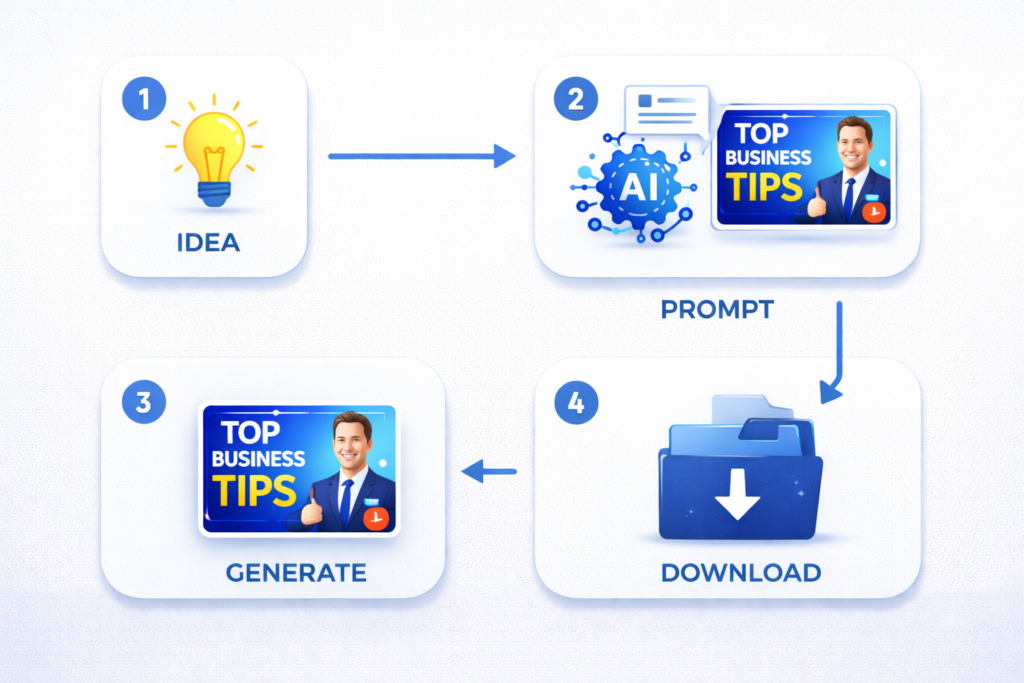
Step 1: Define Your Thumbnail Goal
Before you open any tool, start by thinking about what you want your thumbnail to achieve. Ask yourself: What is the main message of my content? Who is my target audience? What emotion do I want to evoke — curiosity, excitement, urgency, trust? What style fits my brand — bold and energetic, clean and professional, fun and colorful? Having clear answers to these questions will help you give the AI better input and evaluate the results more effectively.
Step 2: Choose the Right Tool
Select an AI thumbnail generator that fits your needs and skill level. If you are a beginner, start with Canva. If you want highly artistic or unique visuals, try Midjourney. If you are a YouTuber looking for data-driven suggestions, explore ThumbnailAI. Consider the pricing, features, and learning curve of each option.
Step 3: Input Your Details
Once you have your tool selected, input the relevant information. This might include your content title or topic, keywords related to your niche, a description of the visual style you want, specific colors or branding elements, and the platform the thumbnail is for. The more specific and detailed your input, the better the AI’s output will be.
Step 4: Generate and Review Multiple Options
Most AI thumbnail generators will produce multiple variations from your input. Do not settle for the first option you see. Generate several variations and compare them. Look for the option that best captures your intended message, is visually appealing and attention-grabbing, has readable text, and fits your brand aesthetic.
Step 5: Customize and Refine
AI-generated thumbnails are rarely perfect straight out of the box. Use the customization features of your chosen tool to refine the design. Adjust the text to ensure it communicates your message clearly. Tweak the colors to match your brand. Reposition elements for better visual balance. Add your logo or other branding elements. Remove any background elements that are distracting.
Step 6: Export and Test
Once you are happy with your thumbnail, export it in the appropriate format and resolution for your platform. Before going live, test how the thumbnail looks at different sizes — on a desktop browser, on a mobile phone, and as a small preview thumbnail. Remember that many viewers will see your thumbnail at a very small size, so make sure it is still clear and impactful even when reduced.
The Benefits of Using AI Thumbnail Generators
AI thumbnail generators offer a wide range of benefits that make them valuable tools for content creators at every level. Here is a closer look at the most significant advantages.

Speed and Efficiency
One of the most immediate benefits of AI thumbnail generators is the dramatic reduction in time required to create thumbnails. What might take a professional designer an hour or more can be accomplished in minutes with AI assistance. For content creators who publish frequently, this time savings can add up to dozens of hours per month.
Cost Savings
Hiring a professional graphic designer for custom thumbnails can be expensive. Even at relatively modest rates, the cost of having a designer create thumbnails for every piece of content you produce can quickly become prohibitive. AI thumbnail generators offer a much more cost-effective alternative, with most quality tools available for a monthly subscription that costs far less than a single hour of professional design work.
Consistency in Branding
Maintaining visual consistency across all your content is important for brand recognition. AI thumbnail generators make it easy to apply consistent colors, fonts, and visual styles to all your thumbnails, helping your audience instantly recognize your content in crowded feeds. This consistency builds brand trust and identity over time.
Accessibility for Non-Designers
Perhaps the most democratizing benefit of AI thumbnail generators is making professional design accessible to people without design skills. You do not need to understand color theory, typography, or composition to create an attractive thumbnail with an AI tool. The AI handles the complex design decisions, leaving you free to focus on the creative aspects of your content.
Limitations and Challenges of AI Thumbnail Generators
While AI thumbnail generators offer impressive capabilities, they are not without limitations. Being aware of these challenges will help you use these tools more effectively and know when human creativity is needed.
Generic or Repetitive Results
One of the biggest challenges with AI thumbnail generators — especially template-based ones — is that many users end up with similar-looking designs. When everyone uses the same AI tool with similar inputs, the resulting thumbnails can look repetitive and fail to stand out. To avoid this, try to provide highly specific and unique inputs, experiment with less common styles, and always customize the output rather than using it as-is.
Copyright and Ownership Concerns
The question of copyright ownership for AI-generated images is still evolving legally. In many jurisdictions, copyright law has not yet fully addressed who owns AI-generated content. Additionally, some AI models are trained on copyrighted images, which raises concerns about the originality and legal status of the output. It is important to review the terms of service of any AI tool you use to understand the ownership rights for images you generate with it.
Limited Understanding of Niche Context
While AI is getting better at understanding context, it may not always grasp the nuances of specific niches, communities, or inside jokes that resonate with your particular audience. Human creators often have a deep understanding of their audience’s preferences, humor, and cultural references that AI cannot fully replicate. For niche content, human oversight is still essential.
Text Rendering Issues
A well-known limitation of many AI image generators is difficulty with rendering text accurately within images. AI models often struggle to generate clear, correctly spelled, and properly formatted text as part of an image. This is why most creators use AI to generate the visual background and then add text overlays separately using a design tool.
Best Practices for Creating High-Converting Thumbnails with AI
Getting the most out of an AI thumbnail generator requires more than just clicking a button. Here are the best practices that experienced content creators use to create thumbnails that drive real results.

Prioritize Clarity Over Complexity
The most effective thumbnails are those that communicate their message instantly. Avoid cluttered designs with too many elements competing for attention. Focus on one main visual, one key message in text, and a clean, uncluttered composition. Remember that most people will see your thumbnail at a small size on a mobile device, so simplicity is essential.
Use Contrast and Color Strategically
High contrast between your main subject and the background makes your thumbnail pop. Use bold, contrasting colors for text to ensure maximum readability. Bright, saturated colors tend to perform well for entertainment content, while more subdued, professional color palettes work better for educational or business content. When using AI to generate thumbnails, specify the color scheme you want as part of your prompt.
Include Faces When Possible
Psychological research shows that human faces in thumbnails dramatically increase viewer engagement. People are hardwired to pay attention to faces, and a face showing a strong emotion — surprise, excitement, concern — is even more compelling. If your AI thumbnail generator can create realistic human faces, or if you incorporate your own photo into the thumbnail, this can significantly improve your click-through rate.
Keep Text Short and Bold
If you include text on your thumbnail, keep it brief — ideally no more than five to six words. The text should complement the visual, not explain everything. Use large, bold fonts that are easy to read at small sizes. Avoid decorative or script fonts that sacrifice readability for aesthetics. The goal is to spark curiosity and invite the viewer to click for more information.
The Future of AI Thumbnail Generation
The field of AI image generation is evolving at a breathtaking pace. What seems impressive today may be standard functionality tomorrow. Here is a look at where AI thumbnail generation is heading in the near future.
Personalization at Scale
Future AI thumbnail generators will likely be able to create personalized thumbnails for individual viewers based on their preferences and viewing history. Imagine a thumbnail that automatically adapts its style, color scheme, or even its visual subject to appeal to different segments of your audience. This kind of dynamic personalization could revolutionize how content is presented and discovered.
Real-Time Performance Optimization
As AI becomes more integrated with analytics platforms, we can expect thumbnail generators that automatically test multiple variations and switch to the best-performing version in real time. Instead of manually A/B testing thumbnails, the AI will handle this continuously and optimize for maximum engagement automatically.
Tighter Integration with Content Creation Workflows
In the future, AI thumbnail generation will likely be seamlessly integrated into content creation platforms. Imagine uploading a video to YouTube and having the platform automatically analyze the content, generate five thumbnail options based on the most engaging moments, and recommend the one most likely to perform well based on current trends in your niche — all without any manual input from you.
Conclusion: Embrace AI as Your Creative Partner
AI thumbnail generators represent one of the most practical and immediately impactful applications of artificial intelligence for content creators. They are not here to replace human creativity — they are here to supercharge it. By handling the technical and time-consuming aspects of design, these tools free you to focus on what you do best: creating valuable content that resonates with your audience.
Whether you are just starting your content creation journey or you are a seasoned creator looking to optimize your workflow, AI thumbnail generators offer a compelling combination of speed, quality, and accessibility. The key is to use these tools thoughtfully — providing clear, specific inputs, customizing the output to match your brand, and always keeping your audience’s preferences and psychology in mind.
The digital content landscape is only going to become more competitive. By embracing AI thumbnail generation now, you give yourself a significant advantage — producing more content, more consistently, at a higher quality level, without burning out on the design work. The future of content creation is a partnership between human creativity and artificial intelligence, and AI thumbnail generators are one of the most exciting entry points into that future.
Frequently Asked Questions (FAQs)
Q1: Are AI thumbnail generators free to use?
Many AI thumbnail generators offer free plans with basic features and limited monthly usage. Tools like Canva and Fotor have generous free tiers that are suitable for casual creators. However, to access advanced AI features, premium templates, higher resolution exports, and unlimited generation, most platforms require a paid subscription. Pricing typically ranges from a few dollars to around twenty-five dollars per month depending on the tool and plan.
Q2: Can I use AI-generated thumbnails for commercial purposes?
Generally yes, but always check the specific terms of service for the tool you are using. Most commercial AI image generation platforms grant users the right to use generated images for commercial purposes, including monetized YouTube videos, paid advertisements, and commercial websites. Adobe Firefly, for example, is specifically designed for commercial use with images trained on licensed content. When in doubt, read the terms of service carefully or contact the tool’s support team.
Q3: Do I need design skills to use an AI thumbnail generator?
No, you do not need any design skills to use most AI thumbnail generators. These tools are specifically designed to be accessible to non-designers. You provide the content details and style preferences, and the AI handles the visual design work. That said, having a basic understanding of design principles — like the importance of contrast, clarity, and visual hierarchy — will help you evaluate and refine the AI’s output more effectively.
Q4: How do AI thumbnail generators improve click-through rates?
AI thumbnail generators improve click-through rates in several ways. First, they help you create visually polished thumbnails that look professional and credible, which increases viewer trust. Second, some tools analyze data from high-performing thumbnails in your niche and incorporate these insights into their designs. Third, by making it faster and easier to create multiple thumbnail variations, they enable more experimentation and A/B testing, which helps you identify what resonates best with your specific audience.
Q5: What is the best AI thumbnail generator for YouTube?
The best AI thumbnail generator for YouTube depends on your specific needs. For beginners, Canva offers the most user-friendly experience with plenty of YouTube-specific templates. For those who want highly artistic and unique visuals, Midjourney produces exceptional results. For data-driven thumbnail recommendations specifically optimized for YouTube performance, ThumbnailAI is worth exploring. Many successful YouTubers combine tools — using Midjourney for image generation and Canva for adding text and final design touches.
Q6: Can AI thumbnail generators create thumbnails for platforms other than YouTube?
Absolutely. While YouTube is the most common use case, AI thumbnail generators are useful for a wide variety of platforms and content types. They can create featured images for blog posts and articles, thumbnails and cover images for podcasts, social media graphics for Instagram, Facebook, Twitter, and LinkedIn, promotional images for online courses and educational content, and product images and promotional materials for e-commerce. Most tools include templates and size presets for multiple platforms, making it easy to create correctly sized visuals for wherever you are publishing.